Contents
The OSI Model and TCP/IP Layers Explained
Why networks are built in layers, what each of the seven OSI layers does, how the four-layer TCP/IP model the internet actually uses maps onto it, and how a packet gets wrapped and unwrapped on its way.
How networks work — series: ① What happens when you open a website → ② Network layers → ③ Common network protocols → ④ What is a proxy? → ⑤ What is a VPN? → ⑥ VPN vs proxy → ⑦ What HTTPS encrypts → ⑧ System proxy vs TUN mode → ⑨ Split tunneling → ⑩ DNS poisoning and leaks → ⑪ Why it slows down at night → ⑫ Latency, loss and bandwidth
Networking is split into layers, where each layer does one job and only talks to the layers directly above and below it. The two models you’ll hear about are the seven-layer OSI model (a reference framework) and the four-layer TCP/IP model (what the internet actually runs on). On the way out, each layer wraps the data in its own “envelope” (a header); on the way in, the layers peel those envelopes off again in reverse. Once layers click, phrases like “layer 3 switch”, “layer 7 proxy” or “a VPN works at layer 3” start to make sense.
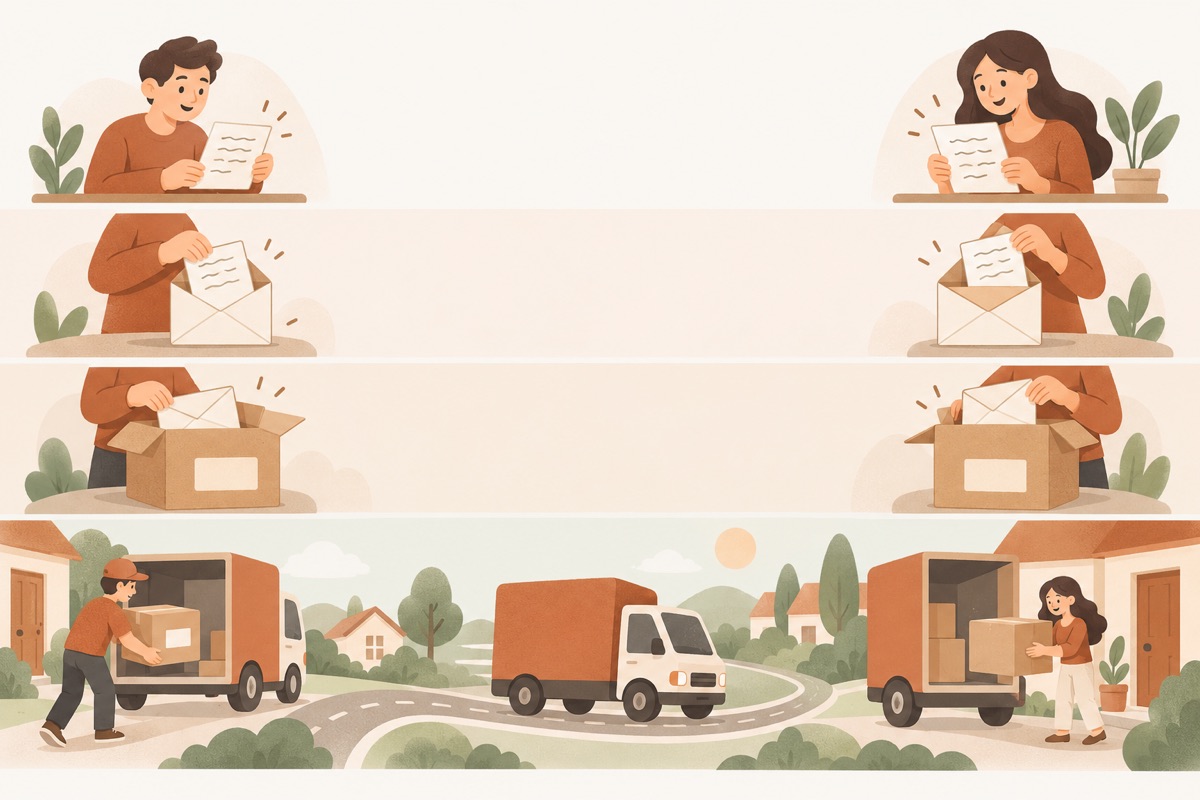
- ① Application: the letterThe content itself — HTTP and other app data
- ② Transport: the envelopeAdds the TCP header — which program gets it (port)
- ③ Network: the boxAdds the IP header — which machine it goes to (IP address)
- ④ Link & physical: the truckAdds the frame header and goes out as signals
- ⑤ Receiver: unwrap in reverseUnpacks layer by layer until the letter is read
Why layers?
Think about sending a parcel:
- You write the letter and don’t care how it travels;
- The courier picks it up and sticks on a shipping label, without reading the letter;
- The sorting centre only reads the destination city and decides where it goes next;
- The truck driver just drives to the next depot.
Each role sticks to its own job and hands off through agreed formats — the envelope, the label. Network layers work the same way, and that pays off in three ways:
- Layers can be swapped independently: moving from Ethernet to Wi-Fi only changes the bottom two layers; your browser doesn’t notice;
- Problems are easier to pin down: you can check layer by layer — a loose cable (physical), a wrong IP (network), or a broken website (application);
- Work can be divided: web developers don’t need to understand fibre optics, and router makers don’t need to know HTML.
The seven OSI layers
The OSI model, from the International Organization for Standardization, has seven layers, numbered from the bottom up:
| Layer | Name | What it does | Common protocols / standards | Unit of data |
|---|---|---|---|---|
| 7 | Application | Network services for programs: web, email, name lookups | HTTP, DNS, SMTP, FTP | Data |
| 6 | Presentation | Data formats, encoding, compression and encryption | TLS encryption, UTF-8, JPEG | Data |
| 5 | Session | Opens, maintains and closes a “session” | Session management, RPC | Data |
| 4 | Transport | End-to-end delivery: ports pick the program; reliable or low-latency | TCP, UDP | Segment |
| 3 | Network | IP addresses for addressing across networks and choosing a path (routing) | IP, ICMP | Packet |
| 2 | Data link | Delivers data to the next device on the same local network using MAC addresses | Ethernet, Wi-Fi (802.11) | Frame |
| 1 | Physical | Turns 0s and 1s into electrical, light or radio signals | Copper cable, fibre, radio | Bit |
A classic mnemonic, bottom to top: Please Do Not Throw Sausage Pizza Away.
TCP/IP: the four layers the internet actually uses
OSI is detailed, but what actually runs on the internet is the TCP/IP suite, which folds the seven layers into four:
| TCP/IP layer | OSI equivalent | Key protocols |
|---|---|---|
| Application | Application + presentation + session (5–7) | HTTP, DNS, TLS |
| Transport | Transport (4) | TCP, UDP |
| Internet | Network (3) | IP, ICMP |
| Link (network access) | Data link + physical (1–2) | Ethernet, Wi-Fi |
In practice people mix the two: they describe how protocols behave with the four-layer model, but say which layer a device or technology works at using OSI’s numbers.
Encapsulation: one envelope per layer
When data goes out, each layer it passes through adds its own header in front with the information that layer needs. The link layer also adds a trailer at the end for error checking:
| Header | What’s in it | Who reads it |
|---|---|---|
| TCP header | Source port, destination port, sequence and acknowledgement numbers | The operating systems at each end |
| IP header | Source IP, destination IP, time to live (TTL) | Every router along the way |
| Frame header / trailer | Source MAC, destination MAC; the trailer holds a checksum | The next device on the same local network |
A packet’s full trip through the layers
Put the sender, one router along the way and the receiver side by side, and you can see exactly what each layer does and when:
| Step | Where | What happens |
|---|---|---|
| ① HTTP request | Sender · application | The browser writes the request — “please send the home page” |
| ② Add TCP header | Sender · transport | Adds source and destination ports (e.g. 443) plus sequence numbers for ordering and retransmission |
| ③ Add IP header | Sender · network | Adds its own IP and the site’s IP — this decides which machine the packet is for |
| ④ Add frame header | Sender · link | Adds its own MAC and the MAC of the next hop (usually your home router) |
| ⑤ Send signals | Sender · physical | The network card sends the whole frame as electrical or radio signals |
| ⑥ Strip frame, read IP | Router | Removes the frame header and reads only the destination in the IP header — it never looks at TCP or HTTP |
| ⑦ Route, add new frame | Router | Picks the next hop, wraps the packet in a new frame (new source and destination MACs), and decrements the TTL |
| ⑧ Forward | Router → next stop | This repeats at every router until the packet reaches the destination network |
| ⑨ Check MAC, strip | Receiver · link | Confirms the frame is addressed to it, verifies the checksum, removes header and trailer |
| ⑩ Check IP, strip | Receiver · network | Confirms the destination IP is its own and removes the IP header |
| ⑪ Port → program | Receiver · transport | Hands the data to the program on port 443, reassembles it in order, and sends acknowledgements |
| ⑫ Read the request | Receiver · application | The web server has the complete request and starts preparing the page |
Look at steps ⑥ and ⑦: a router only unwraps as far as the network layer. All it cares about is where the packet is going — it has no need to read the page inside. That’s layering doing its job.
Devices and technologies by layer
| Layer | Typical devices | Notes |
|---|---|---|
| Physical | Cables, fibre, modems, hubs | Carry signals without understanding them |
| Data link | Switches, network cards, Wi-Fi access points | Read MAC addresses and forward within a local network |
| Network | Routers, layer 3 switches | Read IP addresses and forward between networks |
| Transport and up | Firewalls, load balancers, proxy servers | Can see ports or even application content, and allow, distribute or forward by rule |
You can place proxies and VPNs, coming up later in this series, on the same table: most proxies work at the application or session layer, while a typical VPN wraps whole IP packets at the network layer.
Related reading
FAQ
OSI or TCP/IP — which one is "right"?
The internet actually runs on the TCP/IP protocol suite, so use the four-layer model to understand how things really work. OSI's seven layers are a finer-grained reference, and people still use its numbers to say where something operates — "layer 3 switch", "layer 7 load balancer".
Which layer is TLS in?
Sources disagree. TLS sits above TCP and below HTTP, so the TCP/IP model usually lumps it into the application layer; by OSI's division of labour its encryption work belongs to the presentation layer, and some put it in the session layer. Knowing where it sits — between TCP and HTTP — matters more than the number.
What do "layer 2" and "layer 3" devices mean?
How far up the stack a device looks. A layer 2 device (an ordinary switch) only reads MAC addresses and forwards within one local network; a layer 3 device (a router) reads IP addresses and can forward between networks.
Don't have Pangolin yet?
Available for iPhone / iPad, Mac, Windows and Android. New accounts get a free 7-day Pro trial.
Download the app