Contents
ChatGPT Not Available in Your Region? 2026 Access Guide
Why ChatGPT doesn't work in some regions, what you need before signing up, step-by-step sign-up on web and mobile, and how to fix "Access denied" and endless verification checks.
In some regions ChatGPT is out of reach for two separate reasons: OpenAI only offers its service in certain countries and regions, and some local networks block its websites on top of that. To use it, you need a stable VPN connection that exits in a country OpenAI supports, plus an email address to sign up with. Here’s how it all fits together.
Why doesn’t ChatGPT work in some regions?
People often assume the site is just “blocked”, but there are really two problems stacked on each other:
| Layer | What you see | Why |
|---|---|---|
| Network: can’t connect | The page spins forever or “This site can’t be reached” | chatgpt.com and openai.com aren’t reachable from the local network |
| Account: not allowed | The page loads, then says your region isn’t supported | OpenAI checks your IP address and turns away regions that aren’t on its supported list |
Fixing only the first one — say, with a server that’s also in an unsupported region — gets the page to load, but you’ll still be turned away. Your exit point has to be in a supported region, such as the US, Japan, Singapore or most of Europe.
OpenAI’s terms expect you to use the service from a supported region, and accounts accessed from unsupported regions can be restricted. If your chat history matters to you, export it now and then (Settings → Data controls → Export data).
What you’ll need
- A stable overseas connection that exits in a supported region — ideally with a consistent IP, not one that hops between countries;
- An email address: an international provider like Gmail or Outlook is safest. You can also sign in with a Google, Microsoft or Apple account;
- A payment method (optional): not needed for the free tier. For Plus and other paid plans, cards issued in unsupported regions are often declined; you’ll usually need a card from a supported country, or to pay through the App Store with an Apple ID from that region.
How to sign up
On the web (desktop or mobile browser)
- Make sure your connection exits in a supported region, then open
chatgpt.com; - Click Sign up and enter your email, or continue with Google, Microsoft or Apple;
- If you used email, set a password and click the verification link OpenAI sends you;
- Enter your name and birthday to finish.
OpenAI sometimes asks you to verify a phone number. Numbers from unsupported regions aren’t accepted, so if you hit that step, try signing in with a Google or Microsoft account instead.
The mobile app
- iPhone / iPad: the official ChatGPT app isn’t listed in some regions’ App Stores. You’ll need to sign in with an Apple ID from another region (the US, for example). Watch out for look-alike apps — the real one is published by OpenAI;
- Android: install ChatGPT from Google Play, again checking that the developer is OpenAI. If your phone doesn’t have Google Play, just use the website in your browser — the experience is nearly the same.
Why am I seeing “Access denied” or constant “verify you are human” checks?
The most common errors and what to do about them:
| Message | Likely cause | Fix |
|---|---|---|
| ”Unsupported country, region, or territory” | Your IP is in a region OpenAI doesn’t support | Make sure you’re exiting in the US, Japan or another supported country — and that ChatGPT isn’t actually going out directly |
| ”Access denied” or “Error 1020” | The site’s security layer blocked your IP, often because many people share it | Switch to another server, or try again later |
| Endless “Verify you are human” | The site doesn’t trust your current IP much | Complete the check; if it appears every time, switch servers |
| Page loads but chats never do | An unstable connection, or some requests are bypassing the VPN | Check your routing settings so ChatGPT’s domains go through the VPN |
One thing people miss: hopping between servers in different countries makes your account look like it’s logging in from all over the world. That triggers more checks and can get the account restricted. Pick one region and stick with it.
Using ChatGPT with Pangolin
If you’re on Pangolin, this is all it takes:
- Keep the proxy mode on Smart (the default). ChatGPT and other overseas services go through the VPN automatically, while local sites and apps stay direct — no custom rule needed;
- Pick a server in the US or Japan. Both are supported by OpenAI. Tokyo usually has lower latency from East Asia; Los Angeles is closer to OpenAI’s own servers. Try both and stick with the one that feels faster;
- Open
chatgpt.comand sign up or log in as usual.
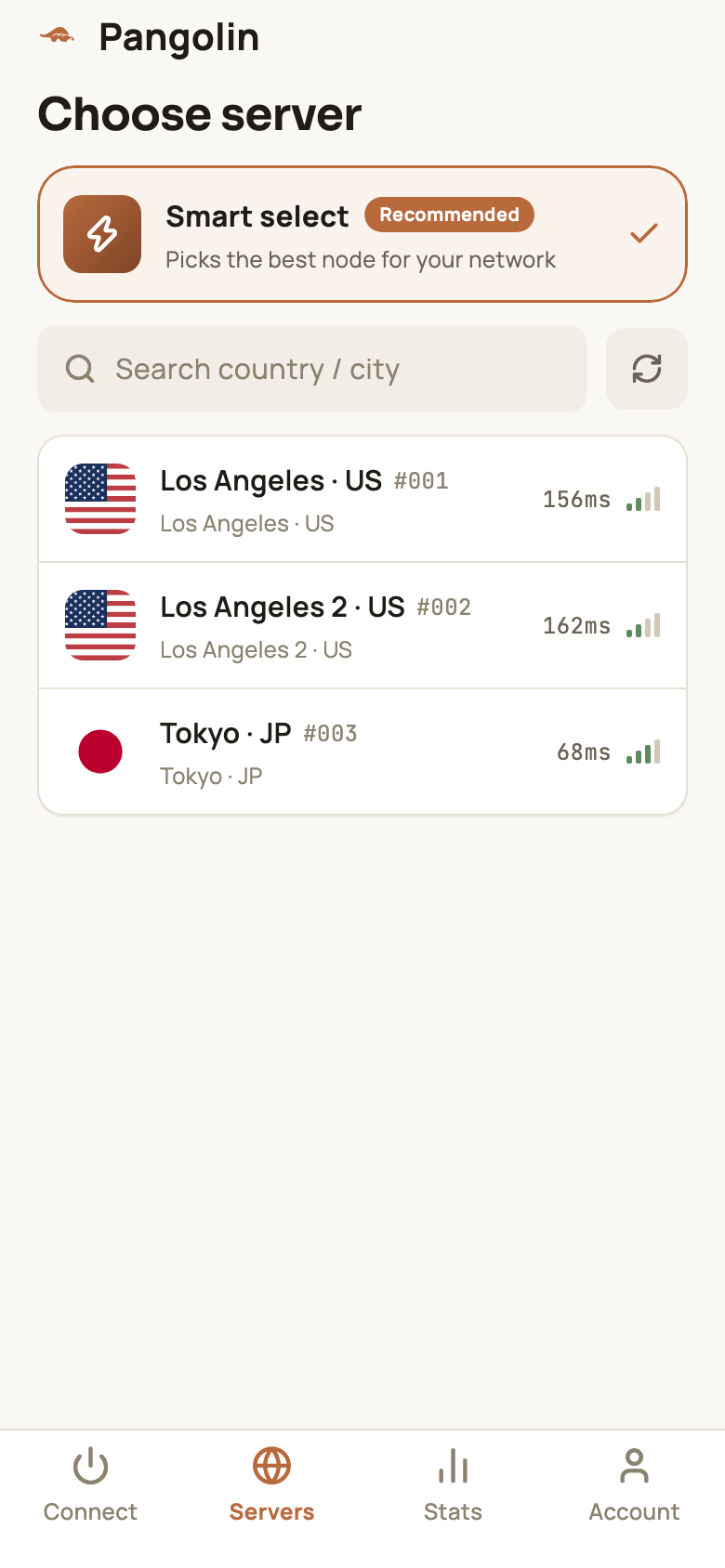
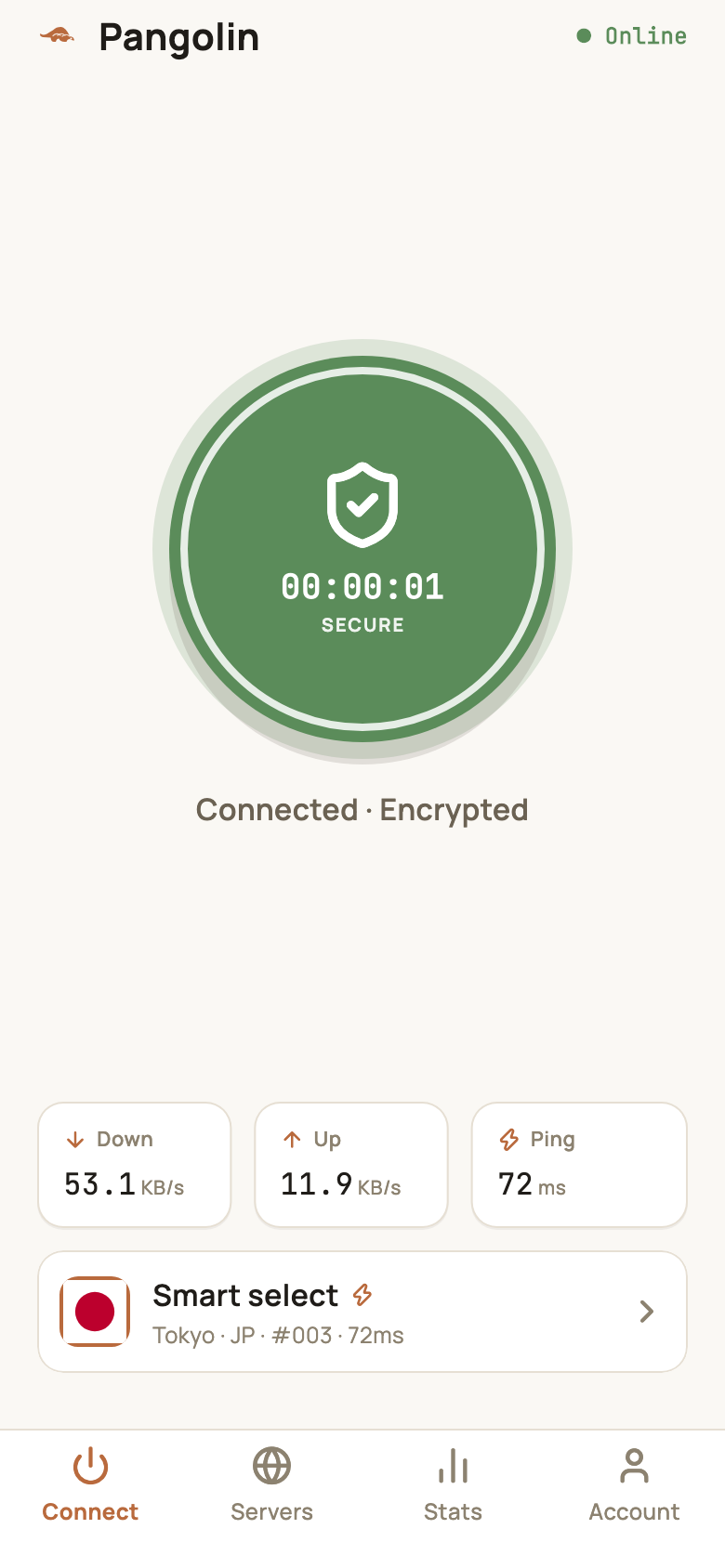
If one server keeps getting “Access denied” or constant checks, switch to another server in the same region — see Connecting and switching servers.
The free plan is limited: Pangolin’s free plan includes 10 minutes and 500 MB a day — enough for a few quick questions. If you rely on ChatGPT for work or study, you’ll want Pro. New accounts get a 7-day Pro trial; see Free plan limits.
Related reading
FAQ
Is ChatGPT free?
Yes. There's a free tier you can use once you sign up (some features even work without an account). Paid plans such as Plus add stronger models and higher limits — check OpenAI's site for current pricing.
How do I use ChatGPT on my phone?
The easiest way is to open chatgpt.com in your phone's browser — it works just like the desktop site. For the official app, iPhone users need an Apple ID from a supported region, and Android users need access to Google Play.
Can I use the OpenAI API from an unsupported region?
The API is restricted to the same supported regions as ChatGPT, and requests from unsupported regions are rejected. Developers need a stable connection that exits in a supported country, and must still follow OpenAI's terms of use.
Do I need the VPN on the whole time I use ChatGPT?
While you're using it, yes. In Smart mode, only overseas services like ChatGPT go through the VPN — local sites and apps keep connecting directly, so you can leave it on all day.
Don't have Pangolin yet?
Available for iPhone / iPad, Mac, Windows and Android. New accounts get a free 7-day Pro trial.
Download the app