Contents
Device limit: removing devices when you hit the cap
Pro covers up to 3 devices and the free plan 1. How devices are counted, what you see when you go over, and how to remove devices in the app or on the web.
How many devices you can use depends on your plan:
| Plan | Device limit |
|---|---|
| Pro | 3 |
| Free | 1 |
How it’s counted: we count the devices on your account that have been used in the last 30 days — each phone, tablet and computer counts as one, whether or not it’s connected right now. Devices unused for more than 30 days stop counting automatically, and signing out and back in on the same device doesn’t make it a new one.
What you’ll see when you’re over
If you’re over the limit when you sign in on a new device (or tap Connect on one that’s already signed in), the app shows Device limit reached with every device on your account:
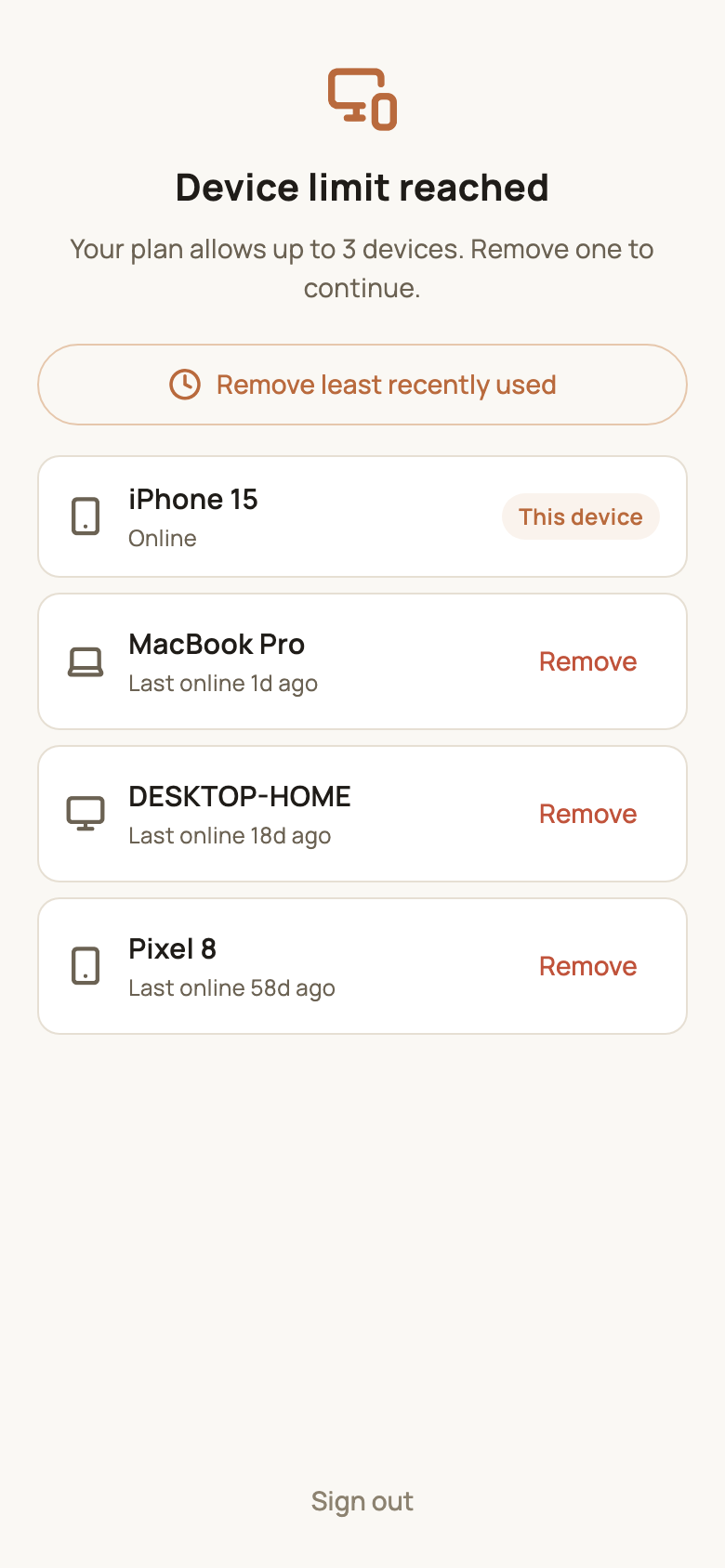
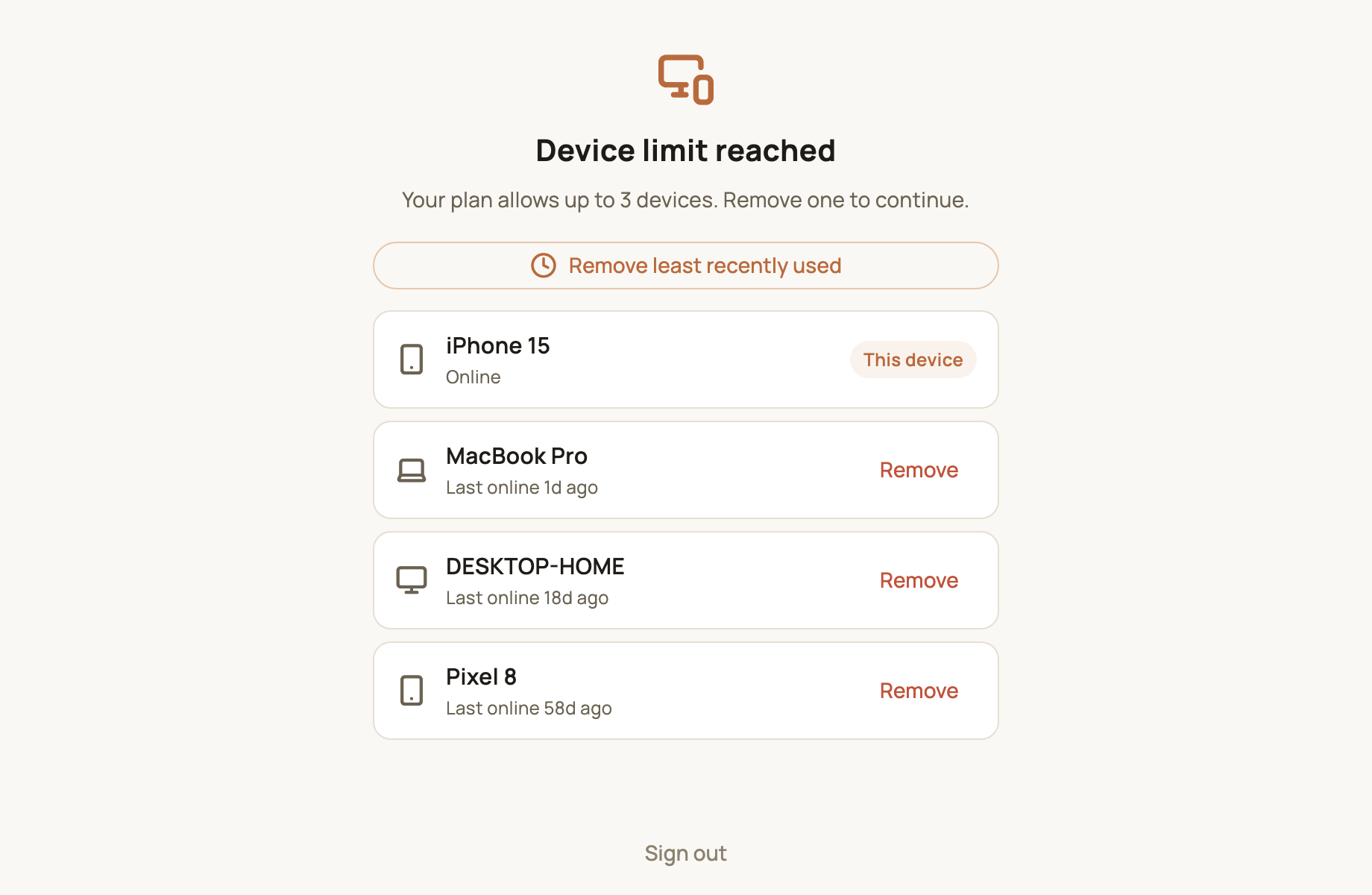
- Each device shows its name and when it was last online; the one you’re using is marked This device;
- Tap Remove next to another device to take it off your account;
- Or tap Remove least recently used at the top to remove the device you haven’t used for the longest;
- Once you’re back within your limit, the app continues to the main screen — no need to sign in again;
- If you’d rather not remove anything, tap Sign out at the bottom.
When Pro expires: going back to the free plan lowers your limit from 3 devices to 1. Your other signed-in devices will see this screen the next time they connect — just keep the one you use most. Renew and the limit goes back to 3.
Managing devices day to day
You don’t have to wait until you hit the limit — you can review your devices any time:
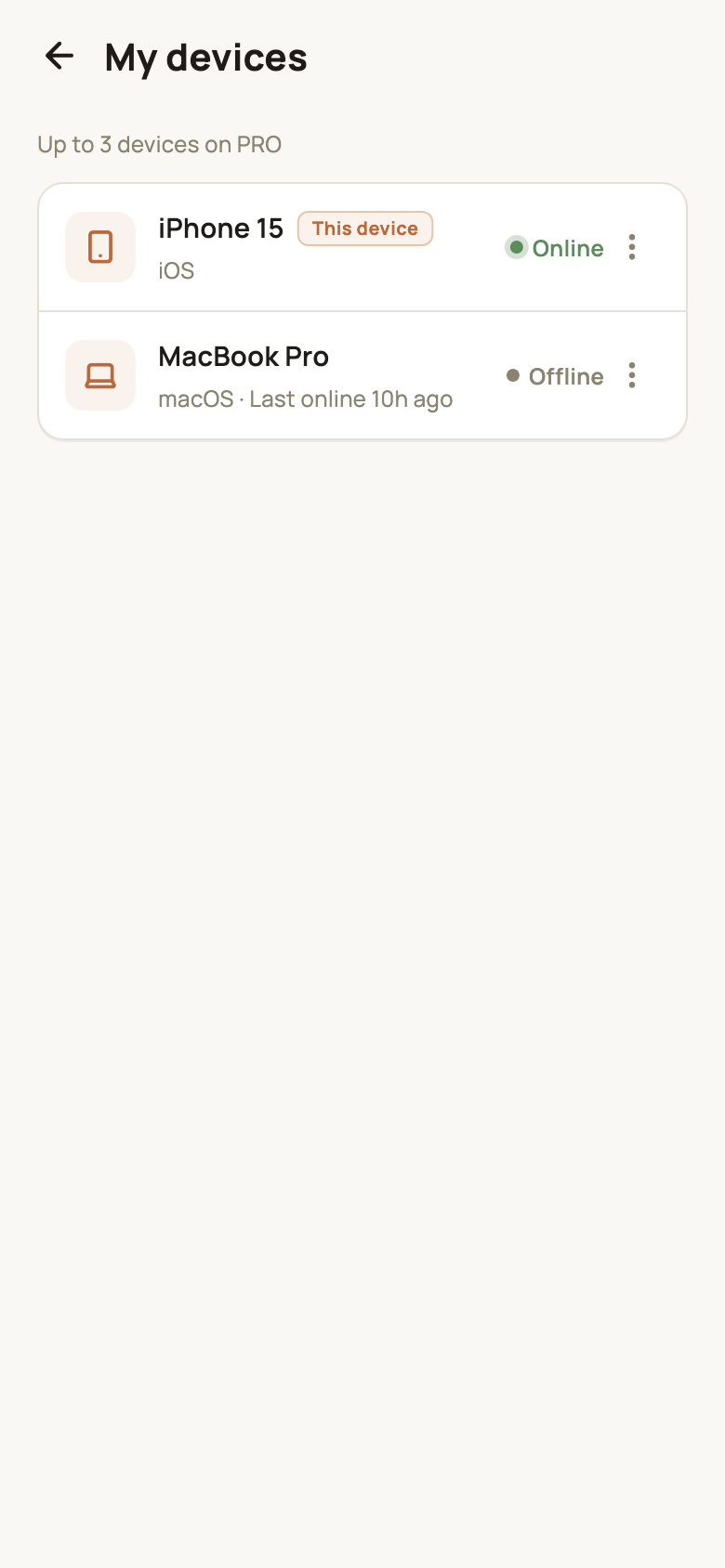
- In the app: Settings → My devices lets you rename a device, force it to log out or clear its login info. See Accounts, sign-in and security;
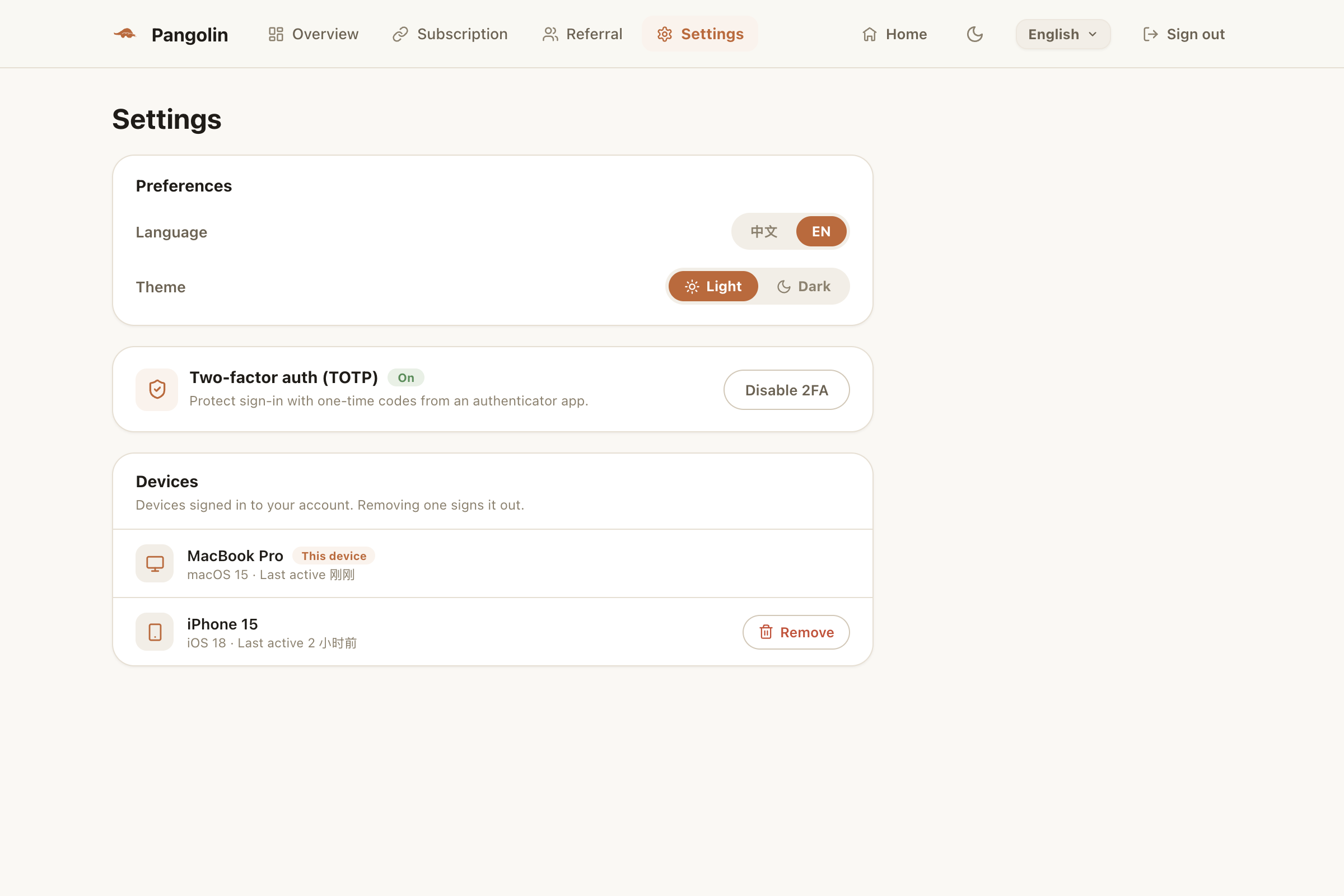
- On the web: sign in to the web User Center and remove devices under Settings → Devices.
Lost a phone or sold an old device? Remove it from another device as soon as you can — once it’s removed, it can’t use your account anymore.
FAQ
Does an old phone I don't use anymore still count?
No. Only devices used in the last 30 days count; anything idle for longer drops off automatically.
What happens to a device I remove?
It's signed out and has to sign in again to use Pangolin. If you're still at your limit at that point, it will see the Device limit reached screen too.
I forgot to sign out on my old phone. What can I do?
On any device you're signed in on, open Settings → My devices — or go to Settings in the web User Center — and remove the old phone.
Don't have Pangolin yet?
Available for iPhone / iPad, Mac, Windows and Android. New accounts get a free 7-day Pro trial.
Download the app